Blog · 17 Nov 2026 · By BitcoinSaving
Last updated: 19 Nov 2026 · Fact checked: 19 Nov 2026
Best Bitcoin Savings Account 2027: Wallets, Apps, Banks and ETFs Compared
In May 2010, a programmer in Florida traded 10,000 bitcoin for two pizzas. He was not reckless; at the time, that was roughly what the coins were worth. But the detail that matters is where the coins sat before he spent them: at addresses he controlled. No company could freeze them, lend them, lose them or go bankrupt holding them.
Try it on your own numbers
Replay any amount, rhythm and start year on real prices back to 2010, with charts for your average cost and your stretches under water. The iPhone beta is open on TestFlight.
Free during the beta. The public link installs it in a minute, no email and no account needed.
One short email a week
A real savings story, the numbers behind it, in plain words. Plus first access when the app launches.
Sixteen years later, the phrase people type into Google is "Bitcoin savings account", and it sounds like something a bank would offer: a tidy balance, an app, maybe some interest. But the label hides the only question that has ever decided whether a Bitcoin saver kept their savings: who holds the keys?
This guide compares every serious way to save in Bitcoin in 2027, in three clusters. First, self-custody wallets and multisig setups, where you hold the keys and the coins are actually yours. Second, the on-ramps and fintech apps, River, Cash App and Strike, where a company holds the coins but lets you withdraw them. Third, exchanges, banks and the big ETFs, where what you hold ranges from a withdrawable balance to a share that can never become Bitcoin at all.
One line runs through the piece: not your keys, not your coins. If you do not hold the keys, you do not hold Bitcoin. You hold a claim on Bitcoin, and a claim is only as good as the company standing behind it.
What a "Bitcoin savings account" actually is in 2027
Start with the honest answer: there is no Bitcoin savings account in the way there is a bank savings account. No product here pays a guaranteed return on Bitcoin, and no Bitcoin balance anywhere is covered by deposit insurance. FDIC insurance, where it appears below, covers US dollar cash, never the Bitcoin itself.
What the search phrase really collects is three different animals wearing one name. The first is a wallet: a Trezor, a Passport, a phone app like BlueWallet, or a multisig vault from Casa or Unchained. Wallets do not sell you Bitcoin or hold it for you. They hold keys, and the keys control coins that live on the Bitcoin network itself.
The second is a custodial account at a buying platform. River, Cash App, Strike and Kraken sell you Bitcoin and keep it in their vaults until you ask for it. The balance is real in the sense that a solvent, honest platform will honour it, and all four let you withdraw the actual coins to your own wallet. It is a claim in the sense that, until you withdraw, the keys are theirs.
The third is a share. The spot ETFs, IBIT and FBTC, and balances at places like Fidelity Crypto, give you price exposure inside a brokerage or retirement account. You cannot withdraw Bitcoin from an ETF, ever, because there is no withdrawal function. You can only sell for dollars. None of the three is automatically right: they trade control against convenience, and the clusters below run from most control to most convenience.
Cluster 1: Self-custody, where the savings are actually yours
Trezor
Trezor is the oldest name in hardware wallets and still the cheapest reputable way to hold your own keys. The current range, as of November 2026, is the Safe 3 at $59, the Safe 5 at $129 and the Safe 7 at $249. All three also come in Bitcoin-only editions at the same price, running Bitcoin-only firmware with a smaller attack surface and no altcoin code at all. The firmware is fully open source, so anyone can audit what the device does with your keys. There is no native recurring buy; Trezor Suite routes purchases through third-party providers, and their rates vary. Moving coins costs only the Bitcoin network fee.
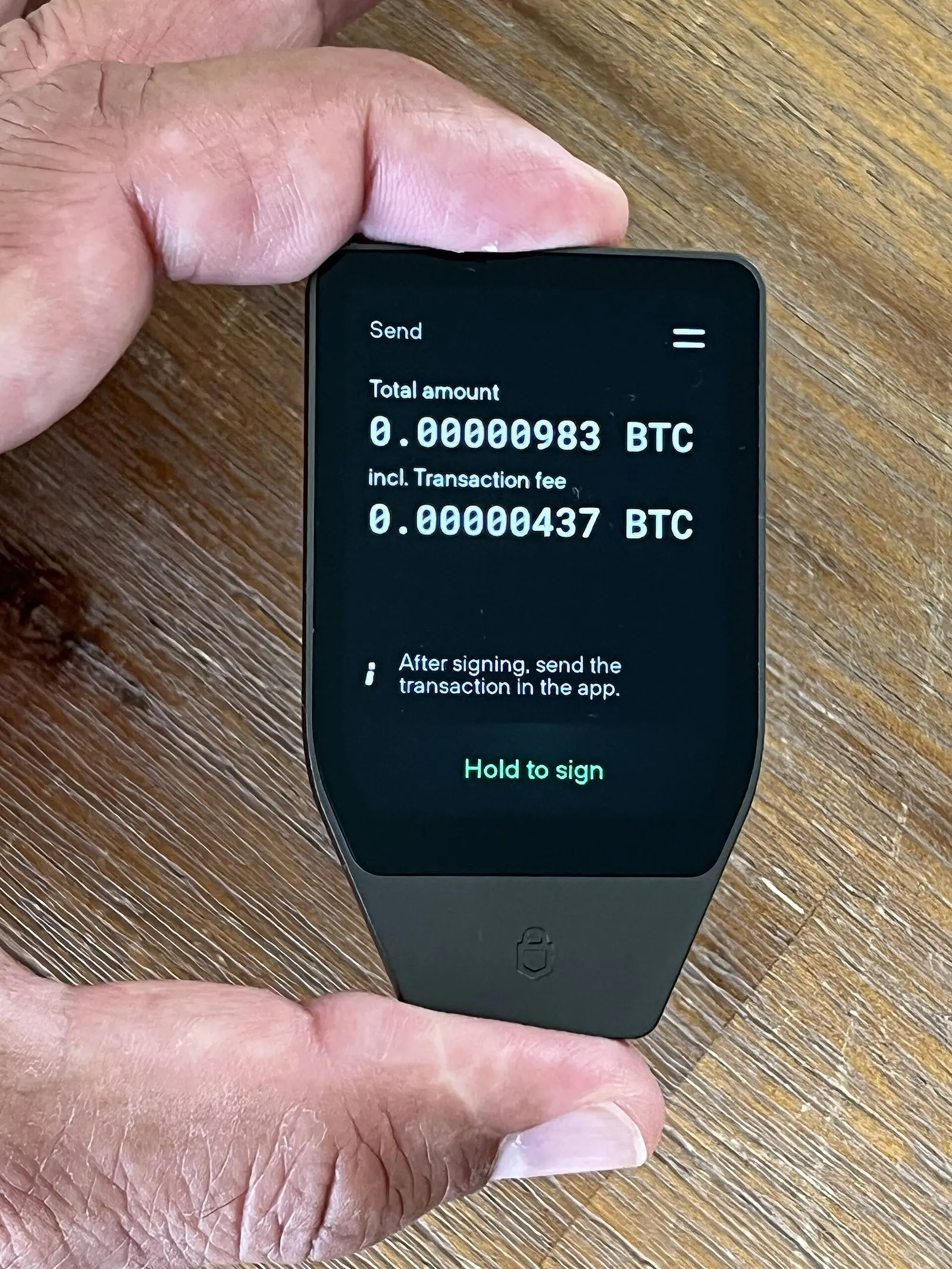
Pros: the lowest cost of entry in serious self-custody, open-source firmware, a Bitcoin-only option at no extra cost, and no counterparty who can freeze or lose your savings. Cons: the seed phrase is a single point of failure, so a stolen or lost backup can mean a lost stack; the Safe 3 has no touchscreen, which makes checking addresses slower; and inheritance is entirely yours to arrange.
Foundation Passport
Foundation builds the Passport, an air-gapped signing device made in the US. Air-gapped means it never connects to a computer or phone by cable or radio while signing; it talks in QR codes and microSD cards, so the keys stay isolated. The range changed in 2026: the Passport Core at $199 has been discontinued and is no longer sold, and the current flagship is the Passport Prime at $349, with a 3.5 inch touchscreen, open-source KeyOS software, and radios that can be disabled. Its companion app, Envoy, is free and Bitcoin-only.
Pros: fully open hardware and software, genuine air-gapping, and the most polished onboarding of any air-gapped device. Cons: $349 is premium pricing, the Prime is a broader device than the old minimalist Core, and Foundation is a small company, so long-term support depends on a small team staying in business.
Bitkey
Bitkey, made by Block, is the self-custody option for people who cannot safely manage a seed phrase, because it deletes the seed phrase entirely. Your Bitcoin sits in a 2-of-3 multisig wallet. One key lives in the Bitkey hardware device, one in the phone app, and one on Block's recovery server. Any two keys can sign. Block alone cannot move your money, and neither can a thief who steals just the device or just the phone.
Recovery is the design's whole purpose. Lose the phone, and the device plus Block's key restore you after a security delay; lose the device, and the phone plus Block's key do the same. Delay and Notify puts a 7-day delay on recovery, with alerts, so a thief cannot quietly drain the wallet. Inheritance is built in and free: name a beneficiary, and if they ever file a claim, a 6-month waiting period runs during which you can cancel, before they gain access. An Emergency Exit Kit also lets you leave without Block's servers. The current touchscreen model costs $250; the original was $150, prices as of November 2026.
Pros: the easiest credible self-custody for a non-technical saver, no seed phrase to lose or photograph, and the best built-in inheritance in this cluster. Cons: you depend on Block continuing to operate its recovery key, softened but not eliminated by the Exit Kit; lose any two of the three keys and the money is gone permanently; and it is mobile-only and Bitcoin-only.
Multisig setups: Unchained, Casa, and doing it yourself
A single hardware wallet has one weakness: one seed, one point of failure. Multisignature, or multisig, splits control across several keys so that two or three must agree before money moves. Lose one key and nothing is lost.
Unchained is a Bitcoin-only company built around collaborative multisig. In a 2-of-3 vault, you hold two keys on your own hardware signers and Unchained holds one. They can never move your funds alone, and you can always spend with your two keys without asking them. The vault costs $250 per year. Unchained's distinctive product is its Bitcoin IRA: a Traditional, Roth or SEP retirement account in the same 2-of-3 structure, with you holding two keys, almost unheard of in retirement accounts. The IRA carries the same $250 annual vault fee, a 1.5% trading fee, and a $2,000 minimum per transfer, rollover or contribution, with Fortis Bank as the qualified custodian. Unchained is not available in New York, New Jersey, South Dakota or North Carolina.
Casa packages the same idea for people who do not want to learn multisig first. Casa holds exactly one key, a recovery key, never enough to move funds alone. Standard at $250 per year gives a 3-key vault (2-of-3: a hardware key, a mobile key and the Casa Key) with inheritance included, and you bring your own hardware wallet. Premium at $2,100 per year moves to a 5-key vault (3-of-5) with hardware included; Private Client at $7,500 per year adds a dedicated advisor. Casa's own FAQ answers the question every saver should ask of every company here: what happens if Casa shuts down? Their answer: nothing changes, because you hold your own keys and can recover with widely available wallets like Sparrow or Electrum, without Casa's involvement.
Doing it yourself is the third route. Sparrow Wallet, free and open source on desktop, and Nunchuk, free and open source on mobile and desktop, let you build any multisig arrangement you like, with no company holding any key at all. The software costs nothing; your real costs are two or three hardware signers. The catch: you become your own support desk. The wallet configuration file, called the descriptor, is as critical as the seeds themselves, inheritance has to be engineered by you, and losing enough keys to break the quorum is a total loss with nobody to call.
BlueWallet
BlueWallet is a free, open-source phone wallet for iOS and Android, and its best use for a saver is not holding keys on the phone at all. Its watch-only wallets let you import the public key (xpub) of a hardware wallet, so the phone shows your balance and generates fresh receive addresses while the keys stay offline in a drawer. It can also build multisig vaults in the app. One correction to older reviews: BlueWallet's hosted Lightning node shut down in April 2023, so Lightning now means running your own node. Treat it as an on-chain savings companion.

Pros: the best free companion app for a hardware-wallet saver, no account and no identity checks, balance visible without ever exposing keys. Cons: a phone is a hot, risky place for a single-signature seed, so savings belong in watch-only or multisig mode, and there is no support desk if you get stuck.
Cluster 2: On-ramps and fintechs, built for the recurring buy
Most savers do not start with a lump sum. They start with a habit: $25 a week, $100 a month, bought automatically whatever the price does. That habit is dollar cost averaging, and this cluster is where it lives. The headline fact of 2026 is a pleasant one: at River, Strike and Cash App, the platform fee on recurring buys is now 0%. What still differs is the spread inside the price, the withdrawal terms, and how much you trust the custodian in between buys.
River
River is a Bitcoin-only company: no altcoins, no lending of client coins. River states that client Bitcoin is held full-reserve in its own multisig cold storage, is not lent out, and publishes monthly Proof of Reserves. Dollar cash sits at Lead Bank, which is FDIC-insured. River itself is not a bank.
The fees, from River's official schedule: one-time buys cost 1.00%, falling by size to 0.25% above $15 million. Recurring buys cost 0.00%. The zero starts on day 8 for daily and hourly schedules, and from the second order for weekly ones; the first order pays the standard fee. Converting a direct-deposit paycheck costs 0% up to $30,000 a month. A spread is built into River's prices on top; third-party reads put it at roughly 0.25% on buys, and River does not publish a fixed figure. Recurring minimums are low: $1 a day, or $10 a week from a bank account.
Withdrawals are where River earns its place. There is no River withdrawal fee; you pay the network fee, one on-chain withdrawal per calendar month is free, and auto-withdrawal sends coins to your own wallet when the balance crosses a threshold you choose. River also pays interest on dollar cash: 3.50% APY as of October 2026, a variable rate, on settled USD, paid in Bitcoin or dollars, with no lockup. That is the safe version of a dangerous idea: the yield is on dollars held at an FDIC-insured bank, not on lent Bitcoin.
Pros: 0% recurring fees, proof of reserves, no lending, automatic withdrawals, and interest on cash that does not put coins at risk. Cons: custodial until you withdraw, so the freeze risk described later applies in full; the 1% one-time fee is high next to pro exchanges; a spread sits under the "zero fee" headline; and it is US-only, excluding New York and Nevada, with no IRA.
Cash App
Cash App, from Block, is the app already on tens of millions of US phones, and its Auto Buy is, on paper, the cheapest true DCA in this guide. Auto Invest, Round Ups and Paid in Bitcoin all carry a 0% fee at every size, and Cash App states there is zero spread on them as well. Round Ups deserve a special mention: every Cash Card purchase rounds up to the next dollar and the spare change buys Bitcoin automatically, the only feature here that builds the savings habit out of spending you were already doing.
The catch is one-time buys. A market buy or sell costs 2.0% on trades of $1 to $499, 1.5% from $500 to $999, 0.9% from $1,000 to $1,999, and 0% at $2,000 and above, with a spread of up to 0.75% on market trades. The minimum buy is $1. Withdrawals are free at standard speed (within about 24 hours); faster on-chain speeds cost a network-based fee; Lightning withdrawals carry no fee, and Lightning is not available in New York.
Pros: the only 0% fee and 0% spread recurring buy here, Round Ups, and free standard withdrawals. Cons: fully custodial, with Block able to freeze or close accounts; a punishing 2% on small one-time buys; and no order book or advanced features of any kind.
Strike
Strike is the Bitcoin-only, Lightning-native app, and the availability champion of this cluster: all 50 US states including New York, which it entered in March 2026 after receiving a BitLicense, plus more than 100 countries, with a MiCA-authorised European arm since June 2026.
US one-time fees are tiered by monthly volume: 0.89% up to about $5,000, falling in steps to 0.25% above $15 million. Recurring buys become zero-fee after the first week, meaning from the second weekly or monthly purchase. Direct deposit is Strike's signature move: convert up to $20,000 a month of paycheck into Bitcoin with no fee. A spread applies on trades; Strike targets an all-in spread of about 0.21%. Withdrawals mirror River's philosophy: the Flexible on-chain speed, around 24 hours, is free because Strike covers the network fee, faster speeds cost a fee, Lightning costs only routing fees, and auto-withdrawal is built in.
Pros: 0% recurring buys, free slow withdrawals, free paycheck conversion, and the widest availability in the guide. Cons: custodial; a spread under the zero-fee headline; a 0.89% one-time fee; and a mobile-only app with no order book.
Cluster 3: Exchanges, banks and the ETFs
Kraken
Kraken is the grown-up exchange option: operating since 2011, publishing Proof of Reserves, with a real order book. Its pricing has a trap for the unwary. In the main app, instant buys and recurring buys cost 1% plus a spread. On Kraken Pro, the order-book interface on the same account, the entry tier is 0.40% maker and 0.80% taker, after a fee increase in July 2026. Pro has no native recurring buy, so the saver chooses: 1% for automation in the app, or roughly 0.4 to 0.8% for manual buys on Pro. Withdrawing Bitcoin costs 0.000015 BTC on-chain, or 0.1% over Lightning. Kraken is available in the US except New York and Maine.
Pros: the cheapest manual buys in this guide via Pro, and a long operating history. Cons: the app-versus-Pro gap punishes convenience, the recurring buy is not cheap at 1%, and it is a custodian, with the same freeze risk as the rest of this cluster.
US banks: the honest answer
In November 2026, exactly one nationally chartered US bank sells Bitcoin natively inside its own app to ordinary customers.

SoFi is the one. SoFi Bank is a real, nationally chartered, FDIC-insured bank (for dollars). It exited crypto in December 2023 as a condition of its bank charter, then relaunched SoFi Crypto on 11 November 2025 after regulators clarified the rules. Buys fund straight from a SoFi checking account. The fees are the highest in this guide for small savers: 1.90% on monthly crypto volume up to $1,000, then 1.50%, 1.25% and 0.90% at higher tiers. Two things are unclear from SoFi's public materials and are flagged here rather than guessed: whether recurring buys are supported, and the current status of withdrawing Bitcoin to your own wallet, which SoFi's October 2026 fee sheet still describes in conditional language. A bank wrapper around a balance you may not be able to withdraw is a claim with good branding.
PNC made history on 9 December 2025 as the first major US bank to offer direct spot Bitcoin trading inside its own digital platform, but only to eligible Private Bank clients: high-net-worth customers, not retail savers. Execution and custody run through Coinbase's crypto-as-a-service platform, so the keys sit with Coinbase, not PNC. Its fees are not published.
Fidelity Crypto is not a bank product at all. Fidelity Investments is a brokerage; custody sits with Fidelity Digital Assets, a trust company. Inside a Fidelity account you can buy Bitcoin for a 1% fee per buy or sell, including inside a Fidelity Crypto IRA launched in April 2025. Fidelity also supports recurring crypto investments, so a saver can automate buys there on a schedule. The material question is withdrawal: reports in 2026 conflict, with most saying Bitcoin cannot be withdrawn or transferred out at all, and at least one November 2026 source describing a gradual rollout of withdrawals to personal wallets. That conflict is unresolved in public sources, so this guide states it plainly: Fidelity Crypto's withdrawal support is unclear. Historically it has been a closed claim, the riskiest shape in this entire guide.
JPMorgan Chase, finally, will not custody Bitcoin at all. In May 2025, chief executive Jamie Dimon said clients would be allowed to buy Bitcoin, adding: "We're not going to custody it." What Chase offers is access to the spot ETFs through its brokerage and wealth channels: a distribution deal, not a Bitcoin account.
The spot ETFs: IBIT and FBTC
The ETFs are the most convenient savings vehicle ever built for Bitcoin exposure, and the least Bitcoin-like thing in this guide. When you buy IBIT, BlackRock's iShares Bitcoin Trust, or FBTC, Fidelity's Wise Origin fund, you buy shares in a trust. The trust holds Bitcoin with a custodian. You hold a security. You cannot withdraw Bitcoin, spend it, or receive it in kind; the only exit is selling shares for dollars during market hours. Both funds charge 0.25% per year, every year, forever, which is $25 a year on $10,000. Cheaper funds exist, including Morgan Stanley's MSBT at 0.14% and the Grayscale Mini Trust at 0.15%.
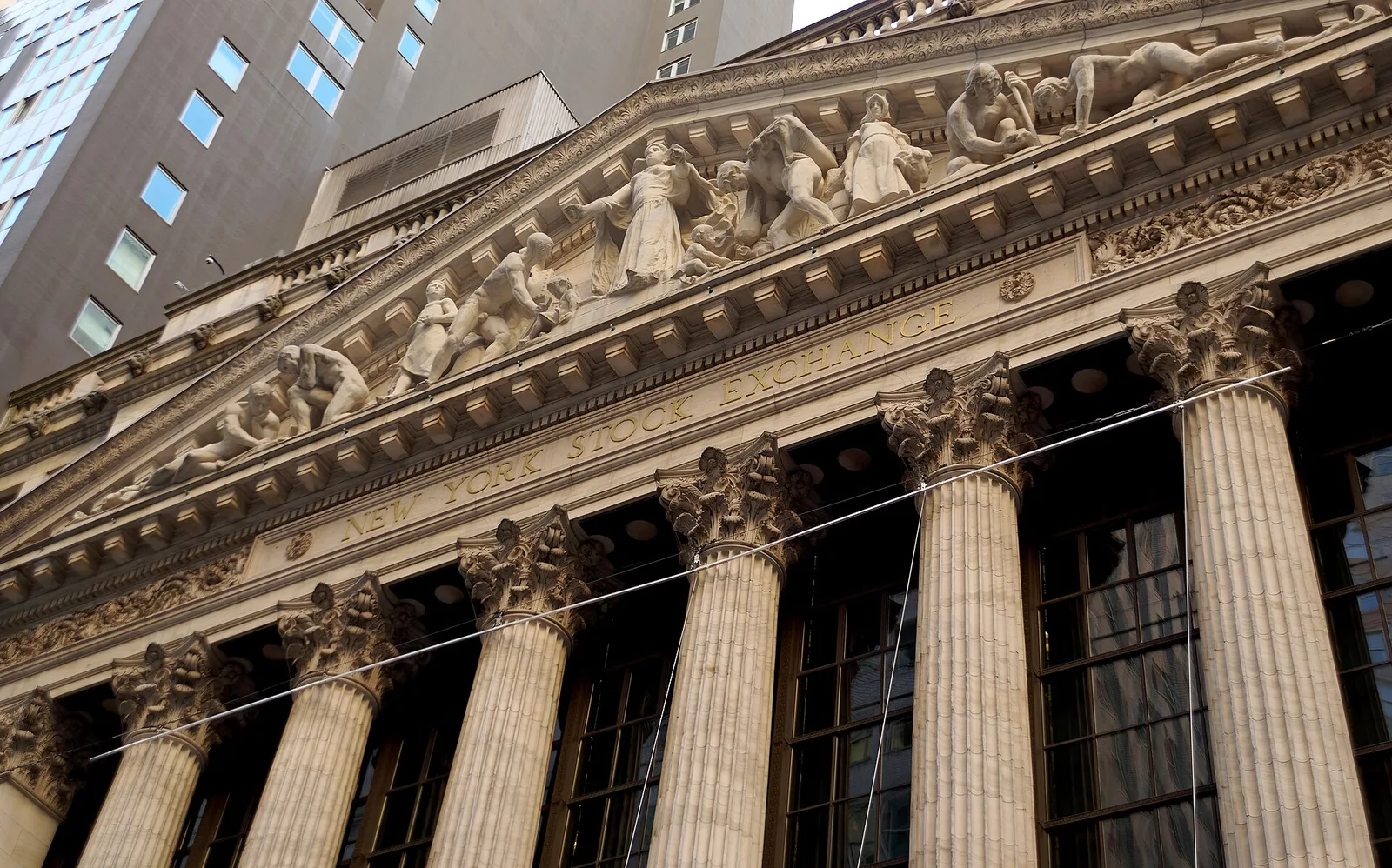
The genuine advantages are real: no keys to lose, no seed phrase for your heirs to find, beneficiary designations that just work, tax-advantaged accounts, regulated disclosure, and extremely tight trading spreads. For a retirement saver who will never touch a hardware wallet, this is a rational product.
The cost is the thesis of this article. An ETF share is a claim on a claim: you trust the sponsor, the sponsor trusts a custodian, and the custodian holds the keys. IBIT is enormous, holding 734,261 BTC worth about $43.4 billion at the end of June 2026, roughly 60% of the entire US spot ETF category, and its price fell about 30% over the year to mid-November 2026. What you own is exposure. But exposure is not Bitcoin, and the next section is about what that difference has cost people before.
The third-party risk: what a claim is worth when the music stops
Every product in Clusters 2 and 3 asks you to trust someone. Bitcoin was designed to make trust optional, and the saver's job is to know exactly what the trust costs when it fails.
The first is concentration. As of late 2026, Coinbase Custody holds the Bitcoin for roughly 80 to 84% of all US spot Bitcoin ETF assets under custody, acting as custodian for 8 to 10 of the 11 or 12 funds, including IBIT. FBTC is the exception: Fidelity Digital Assets custodies it in-house, which diversifies away from Coinbase but concentrates sponsor and custodian in one corporate family. The practical meaning: buying five different ETF tickers does not diversify your custodian. A failure, hack, freeze or legal order at Coinbase Custody would hit most of the ETF market at the same moment. The trust assets sit in segregated cold storage, separate from Coinbase's own balance sheet, under a regulated custodian, which makes ETFs structurally safer than an old-style exchange account. Safer is not the same as yours: the shareholder still cannot exit in Bitcoin, on any day, for any reason.
The second fact is the pattern from 2022, when the last generation of "Bitcoin savings" platforms failed. Four cases, one shape.
FTX filed for bankruptcy on 11 November 2022 with a customer shortfall above $8 billion; customer funds had been secretly routed to its sister trading firm, Alameda. Customers became unsecured creditors. The eventual outcome was, by bankruptcy standards, good for most creditors: about 98% of creditors, those with allowed claims of $50,000 or less, were repaid roughly 118 to 119% of the dollar value of their claims, paid in cash. But the dollars were fixed at November 2022 prices, the cash arrived roughly two years later, and nobody got their Bitcoin back. Even the best-case failure cost holders two years and the entire price recovery.
Celsius froze withdrawals on 12 June 2022, a month before filing, with $4.7 billion of customer crypto on the platform. On 4 January 2023, the bankruptcy judge held that assets in Celsius's Earn accounts were the property of Celsius under its own Terms of Use, making Earn account holders general unsecured creditors, not owners of coins. That ruling covered Earn account assets specifically; it did not apply to every account type Celsius offered. Earn customers initially faced roughly 30 cents on the dollar, with cumulative recoveries eventually reaching somewhere around 65 to 72%. The terms you click past decided what you owned.
Voyager filed on 5 July 2022 after Three Arrows Capital defaulted on a loan of 15,250 BTC plus $350 million in stablecoins; customers' initial distribution, about a year later, was 35.72% of their claims, an initial figure rather than a final recovery rate, with later settlements raising totals. BlockFi paused withdrawals on 10 November 2022 and filed on 28 November, tangled up with FTX and Alameda; its plan eventually targeted full payment of allowed claims, but again in dollars, over time.
Read the four together and the pattern is the lesson. Withdrawals freeze first, before or at the filing. Claims are converted to dollars at filing-date prices. Payment, if it comes, comes years later and never in kind. And the fine print, especially any sentence that transfers title of your coins to the platform, decides everything. This is why the standard saver practice exists: buy at a custodian if you like, then withdraw to your own keys regularly, so your exposure to any company is measured in days of purchases, not years of savings. Yield programmes and "Earn" products produced the worst outcomes of all, because the yield was the risk, wearing a friendly label.
The comparison table
| Product | Custody | Recurring buy fee | One-time buy fee | Withdrawal to own wallet |
|---|---|---|---|---|
| Trezor Safe 3 / 5 / 7 | Self-custody | None (no native DCA) | Device $59 / $129 / $249 | Yes, network fee only |
| Foundation Passport Prime | Self-custody, air-gapped | None | Device $349 | Yes, network fee only |
| Bitkey | Self-custody, 2-of-3 with Block | None | Device $250 | Yes, network fee only |
| Unchained | Collaborative multisig, you hold 2 of 3 keys | None | Vault $250/yr; IRA trading 1.5% | Already your wallet |
| Casa | Collaborative multisig, Casa holds 1 key | None | $250/yr Standard; $2,100/yr Premium | Already your wallet |
| DIY multisig (Sparrow / Nunchuk) | Self-custody, any M-of-N | None | Free software, plus hardware signers | Yes, network fee only |
| BlueWallet | Self-custody (phone) | None | Free | Yes, network fee only |
| River | Custodial, full-reserve | 0% (after the first week) plus a spread | 1.00%, tiered down to 0.25% | Yes, no River fee; one free per month, then network fee |
| Cash App | Custodial | 0% fee, 0% spread on Auto Buy | 2.0% ($1 to $499) / 1.5% ($500 to $999) / 0.9% ($1,000 to $1,999) / 0% ($2,000+) | Yes, free at standard speed; Lightning free |
| Strike | Custodial | 0% (after the first week) plus a spread | 0.89%, tiered down to 0.25% | Yes, Flexible speed free; Lightning routing fees only |
| Kraken | Custodial exchange | 1% in the app, plus spread | App 1% plus spread; Pro 0.40% maker / 0.80% taker | Yes, 0.000015 BTC; Lightning 0.1% |
| SoFi Crypto | Custodial, real chartered bank | Not published | 1.90% / 1.50% / 1.25% / 0.90% tiered | Unclear, described conditionally |
| Fidelity Crypto | Custodial, brokerage (not a bank) | Recurring investments supported (1% per buy) | 1% per buy or sell | Unclear, reports conflict |
| JPMorgan / Chase | Shares via brokerage; bank does not custody | Brokerage terms | ETF commissions | No, no Bitcoin is held for you |
| PNC Private Bank | Custodial via Coinbase, Private Bank clients only | Not published | Fees not published | Not published |
| IBIT | Shares; Coinbase Custody holds the BTC | Via brokerage | $0 commission typical, plus 0.25%/yr | No, impossible by design |
| FBTC | Shares; Fidelity Digital Assets holds the BTC | Via brokerage | $0 commission typical, plus 0.25%/yr | No, impossible by design |
Fees and prices checked November 2026. "Network fee" means the ordinary Bitcoin transaction fee, with no company taking a cut. Dashes mean the field does not apply.
The verdict, by saver type
For the keys-first saver, saving serious money for a decade or more, the answer is Cluster 1 and it is not close. A Trezor Safe 3 at $59, or a Passport Prime if the budget stretches, a steel seed backup, and BlueWallet in watch-only mode to watch the balance. Above the size where one device feels thin, step up to multisig: Casa Standard for the guided version, Unchained if a Bitcoin IRA with your own keys matters, or Sparrow and Nunchuk to hold every key and pay nothing. Bitkey is the pick for the saver who knows, honestly, that a seed phrase in their house is a liability rather than a safeguard.
For the set-and-forget DCA saver, building the habit with $25 to $500 a month, Cluster 2 wins on arithmetic. Cash App's Auto Buy is the only 0% fee with 0% spread, and Round Ups build the habit for free. River matches the zero fee with proof of reserves and the cleanest withdrawal tooling; Strike matches it with free slow withdrawals and the best availability. Whichever you start with, the protective habit is the same: withdraw to your own wallet on a schedule, so the app holds your recent buys and your keys hold your savings.
For the retirement-account saver, whose money lives in an IRA or 401(k) and cannot leave it, the ETFs are the practical route. Splitting between IBIT and FBTC splits the custodian, the one risk in that world you can actually diversify. The exception worth knowing is Unchained's IRA, the rare retirement account where you hold two of the three keys. Everything else in a retirement wrapper is exposure.
The best Bitcoin savings app, if an app is what you meant
A share of readers land on this page from an app search, and for them the account question splits in two. If you want an app that buys for you on a schedule, that is Cluster 2 above: River, Cash App and Strike are the serious names, and the custody warning applies in full, because the app holds your coins until you withdraw them.
If you want an app that helps you plan before any money moves, the category is thinner and, full disclosure, it is the one this site is in. The BitcoinSaving app is a Bitcoin savings app of the second kind: it replays a regular buying plan on real daily prices back to 2010, shows your average cost and your stretches under water, and saves your plans on your phone. It holds no Bitcoin, connects to no wallet and sells nothing, which is either its whole point or its whole limitation, depending on what you came for. The same replay runs in the browser in the DCA simulator, no install needed.
The honest order of operations is the one this guide keeps returning to: understand what a plan would have done, settle the custody question, then pick the buying route. An app that skips the first two steps is not a savings app; it is a checkout.
What the best Bitcoin savings account teaches a saver
First lesson: the account is not the savings. A balance on a screen is a promise; Bitcoin at an address you control is the thing itself.
Second lesson: fees compound quietly and custody fails loudly. The difference between 0% and 1.9% on a weekly buy is real money over ten years, and it is still smaller than the difference between holding your keys and holding a claim in the one year the claim is tested. Optimise the fee after you have settled the custody.
Third lesson: the exit is the product. Before any balance grows, test the withdrawal: send a small amount to your own wallet and confirm it arrives. A savings account you cannot leave, in the asset you are saving, is not an account; it is a position you rent.
Fourth lesson: boring beats clever. A hardware wallet in a drawer, a recurring buy at 0%, a withdrawal every month, a seed backed up on steel. Nothing that failed in 2022 was boring, and everything that survived was.
That does not make Bitcoin safe. Its price fell about 30% in the year to November 2026 alone, measured on the two biggest ETFs, and it has fallen far harder before. Self-custody removes the company risk and replaces it with you: lose the keys, lose the savings, with no helpline and no appeal. Custody removes your responsibility and replaces it with a counterparty whose failure you cannot schedule. There is no version of saving in Bitcoin without risk; there is only the choice of which risk is yours.
This article is education, not financial advice, and none of it is a recommendation to buy anything. If you want to understand the mechanics before any money moves, start with the guides in Learn, and run your own habit through the Bitcoin DCA guide and calculator to see what steady saving would have done across past prices. The savers who came through every era of Bitcoin's short, violent history share one trait: they knew exactly what they held, and exactly who could take it away. In 2027, that knowledge is still the whole account.
Related stories
Bitcoin savings vs a bank account
$100 a month for five years, started at the all-time high: the honest comparison, with the bad years left in.
Stacking sats: a beginner guide
Why small buyers count in satoshis, what a dollar buys today, and what $25 a week has actually stacked since 2023.
Run your own numbersMore stories
The DCA calculator replays any amount, rhythm and start year on real prices back to 2010. The learn guides explain the ideas behind the numbers, in plain words.
Run your own numbersMore stories
Education only, not financial advice. Past performance does not predict future results.
Sources and further reading
- River, What are River's fees? and River banking: the one-time and 0% recurring fee schedule, proof of reserves, and interest on cash at 3.50% APY as of October 2026.
- Strike, What are the trading fees?: US fee tiers, zero-fee recurring buys after the first week, free direct deposit conversion, and the target spread.
- Cash App, Bitcoin fees: Auto Buy at 0% fee with no spread, the market buy tiers, and the withdrawal terms.
- Kraken, Fee schedule: the 1% app fee for instant and recurring buys, the Kraken Pro maker and taker tiers, and withdrawal fees.
- SoFi, Crypto fee sheet (effective 5 October 2026): the tiered crypto fees and the conditional wording on transfers out.
- Casa, Pricing, and the Unchained help centre: multisig vault pricing, who holds which key, the Bitcoin IRA terms, and what happens if the company shuts down.
- Trezor (trezor.io), Foundation (foundation.xyz) and Bitkey (bitkey.world): current device ranges and prices, checked November 2026.
- BlackRock, iShares Bitcoin Trust (IBIT), and Fidelity, Wise Origin Bitcoin Fund (FBTC): the 0.25% expense ratios, the named custodians, and IBIT's reported holdings.
- Bankruptcy reporting and court records for FTX, Celsius, Voyager and BlockFi (2022 to 2023): the filing dates, the Celsius Earn ruling of 4 January 2023, and the recovery figures savers actually saw.
Photos: Wikimedia Commons, CC0, CC BY 4.0, CC BY-SA 4.0 and CC BY-SA 2.0, as credited under each image.
See BitcoinSaving first in Google Search
Add us as a preferred source and our stories get priority in your Top Stories and AI answers.